Your best Product Expert
Sitting beside every user

Learns from how your best users navigate your product. Pops up when someone needs help — walks them through, takes action when asked, files the rare real bug.

Knows your product before your users do.

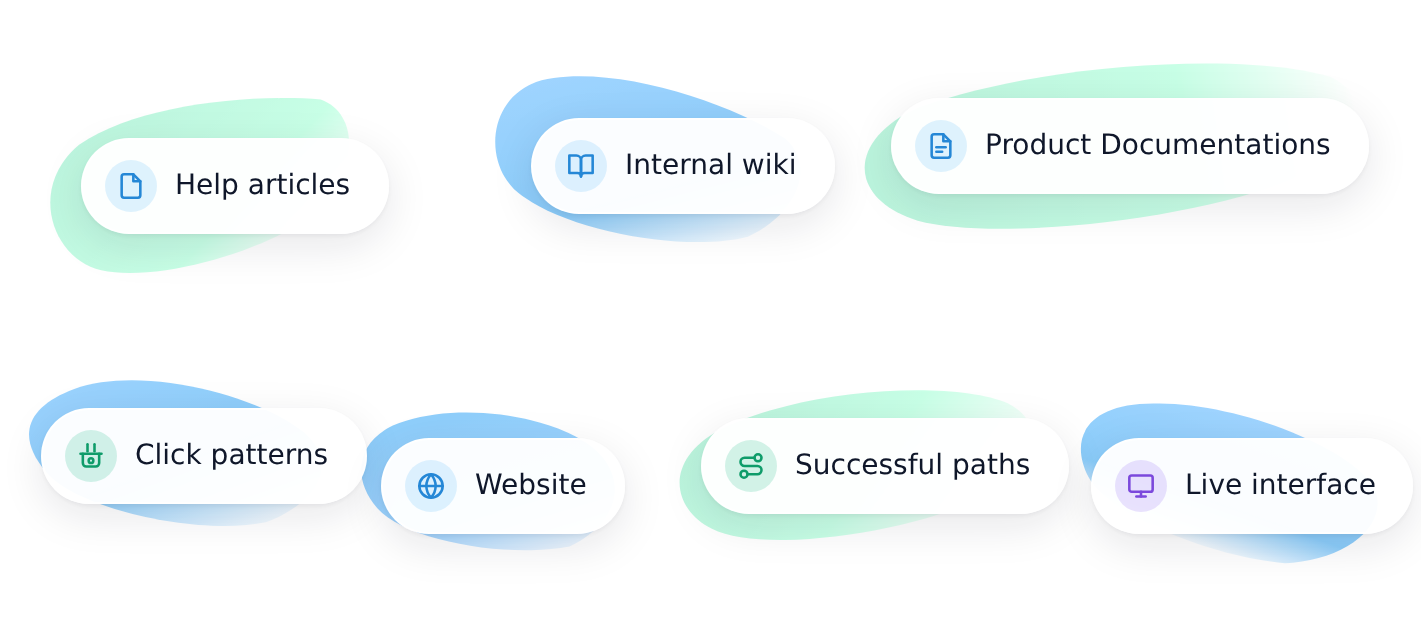
HelpAlive ingests your documentation, watches how your best users navigate, and reads the live interface in real time — building a working model of your product without anyone writing a flow or tagging an event.
Your docs in context — every help article, wiki page, onboarding guide
Crowd intelligence — what your best users actually do at each step
Live interface awareness — sees the same screen your user is on

Spots when a user is about to get stuck.
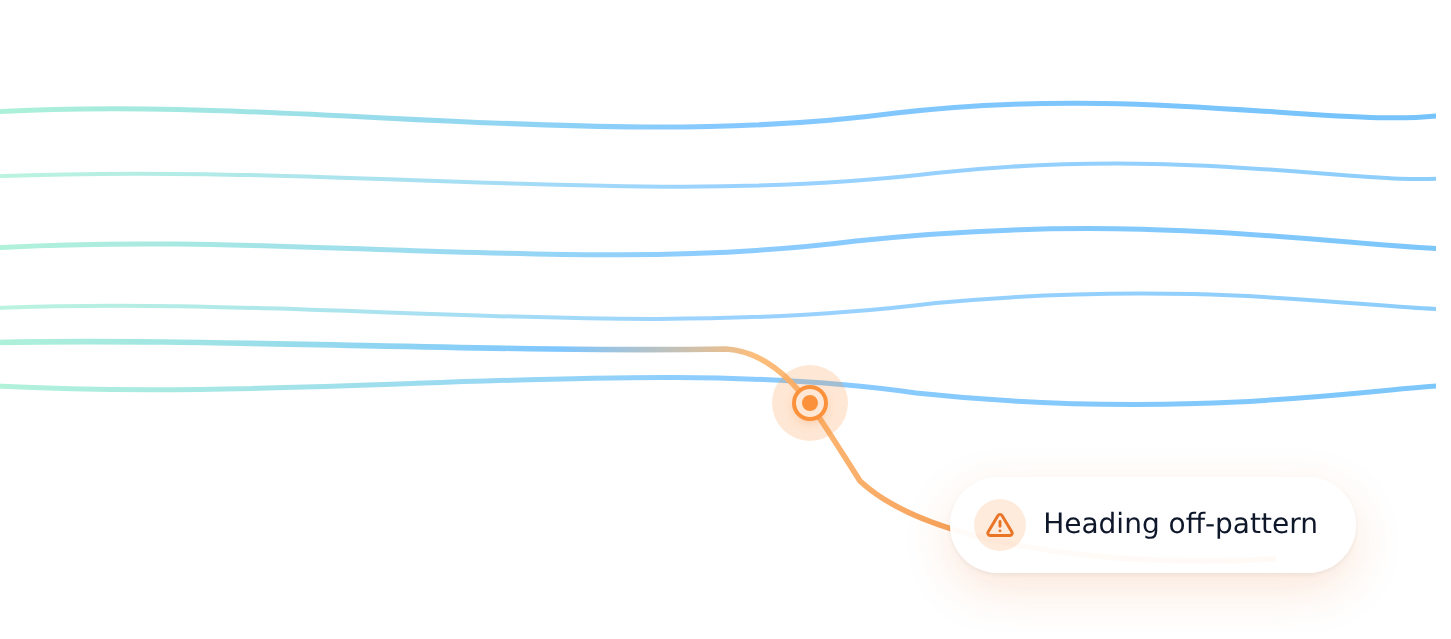
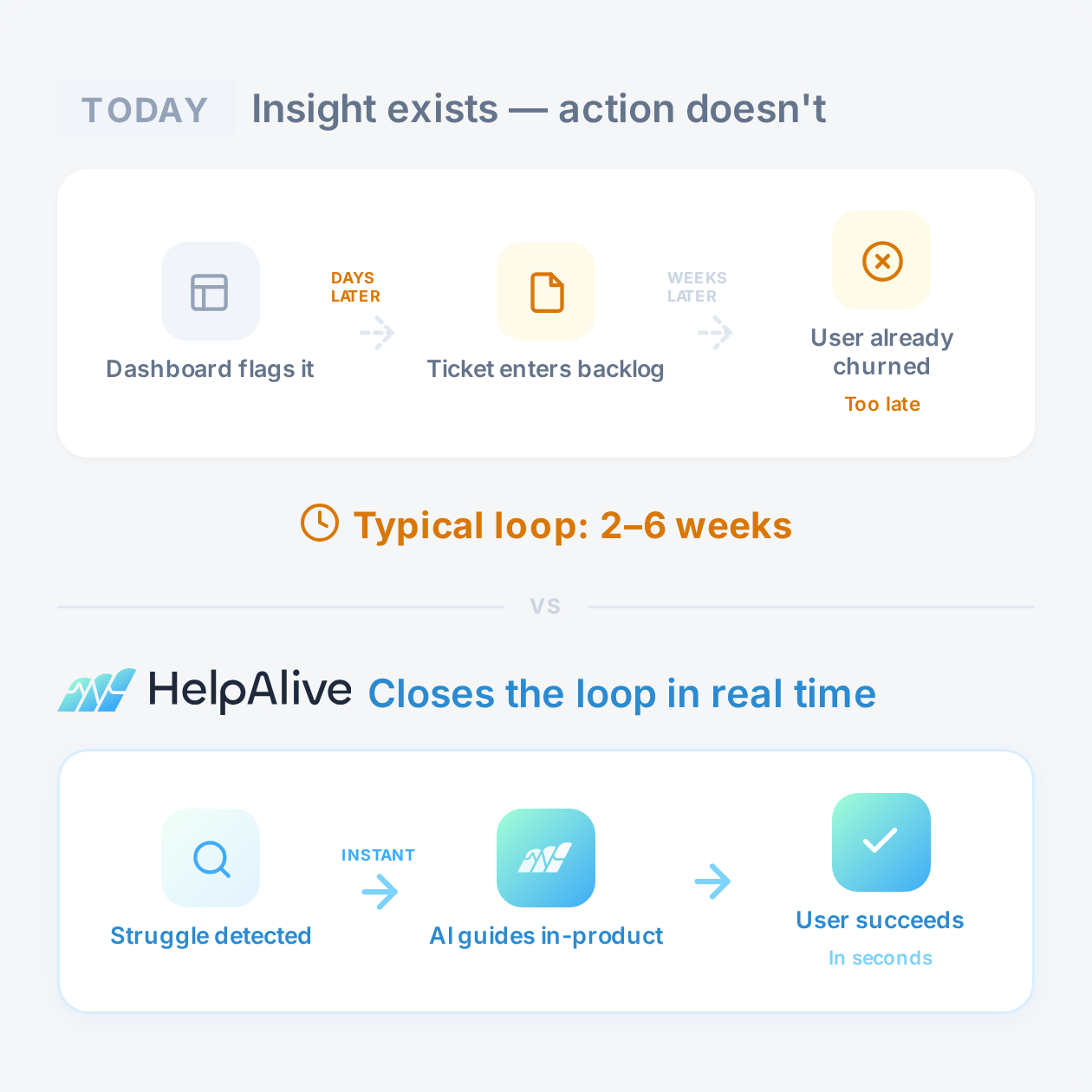
By comparing what each user is doing against the patterns it has learned, HelpAlive identifies the moment someone is heading down a wrong turn — before they file a ticket, before they churn, before your dashboards even notice.
Real-time deviation detection — no rules, no triggers, no event tagging
Knows what success looks like for your product, automatically
Frequency controls so guidance never feels like a pop-up ambush

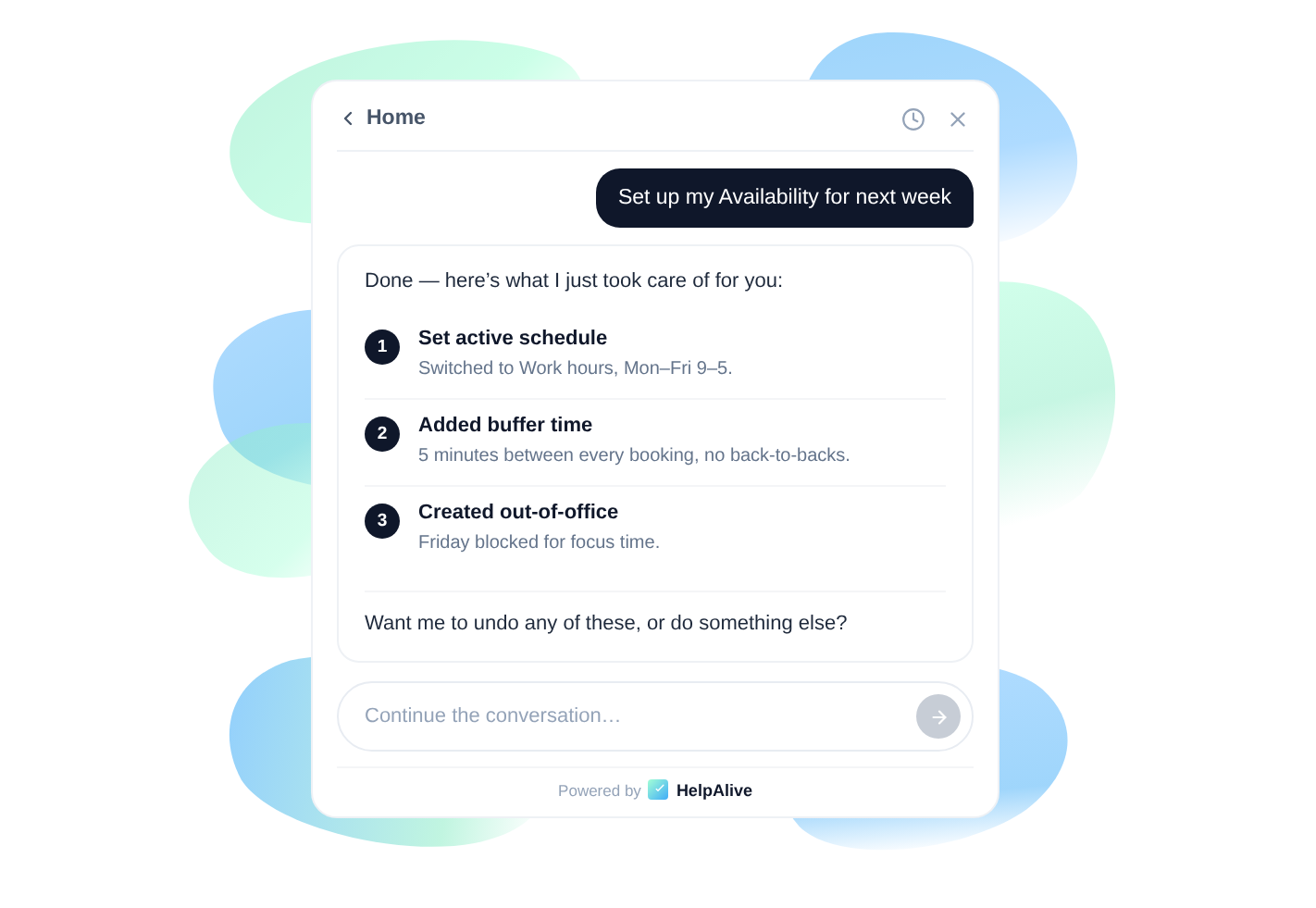
Walks them through it. Or just does it.
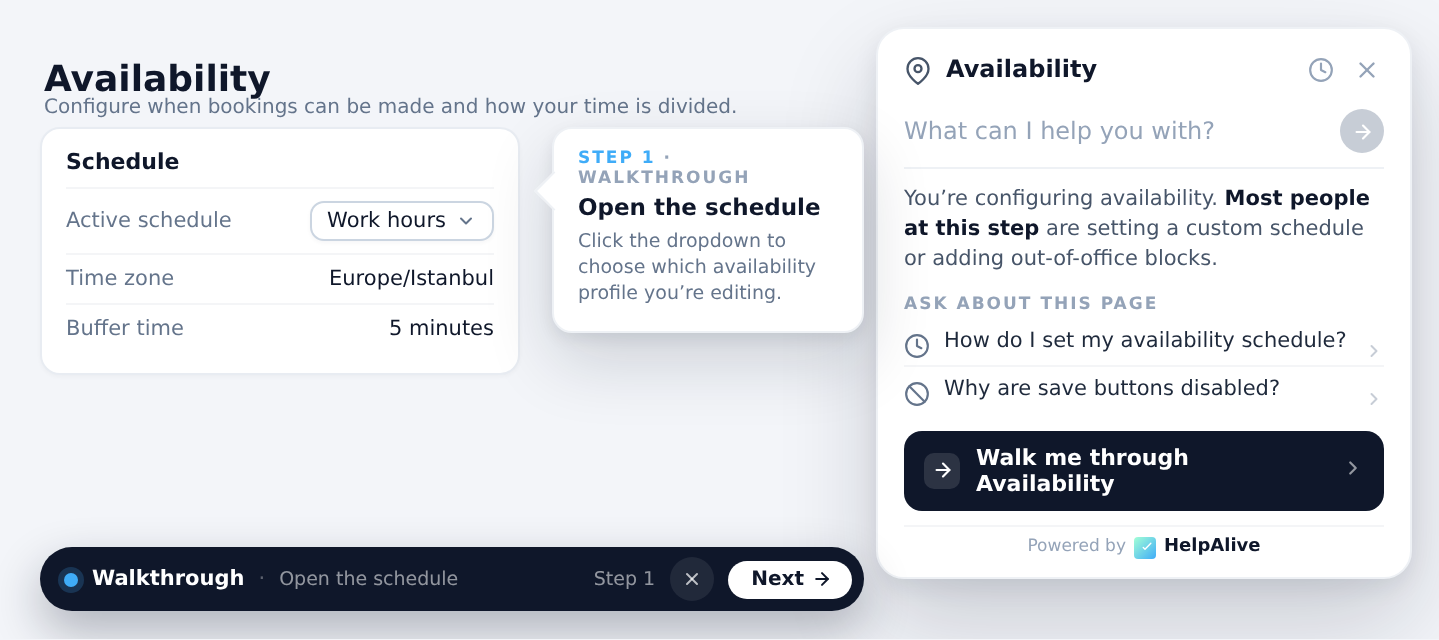
HelpAlive steps in with a walkthrough generated from your docs, answers questions about the exact element the user is looking at, and where it can, takes the action directly. Same widget, same conversation, no second tab.
Real-time walkthroughs built from your docs in real time, not scripted by hand
Interrupt the walkthrough anytime — it already knows what you’re pointing at
Takes action in your app when explaining isn’t enough

Files the rare real bug. Never punts to a human queue.
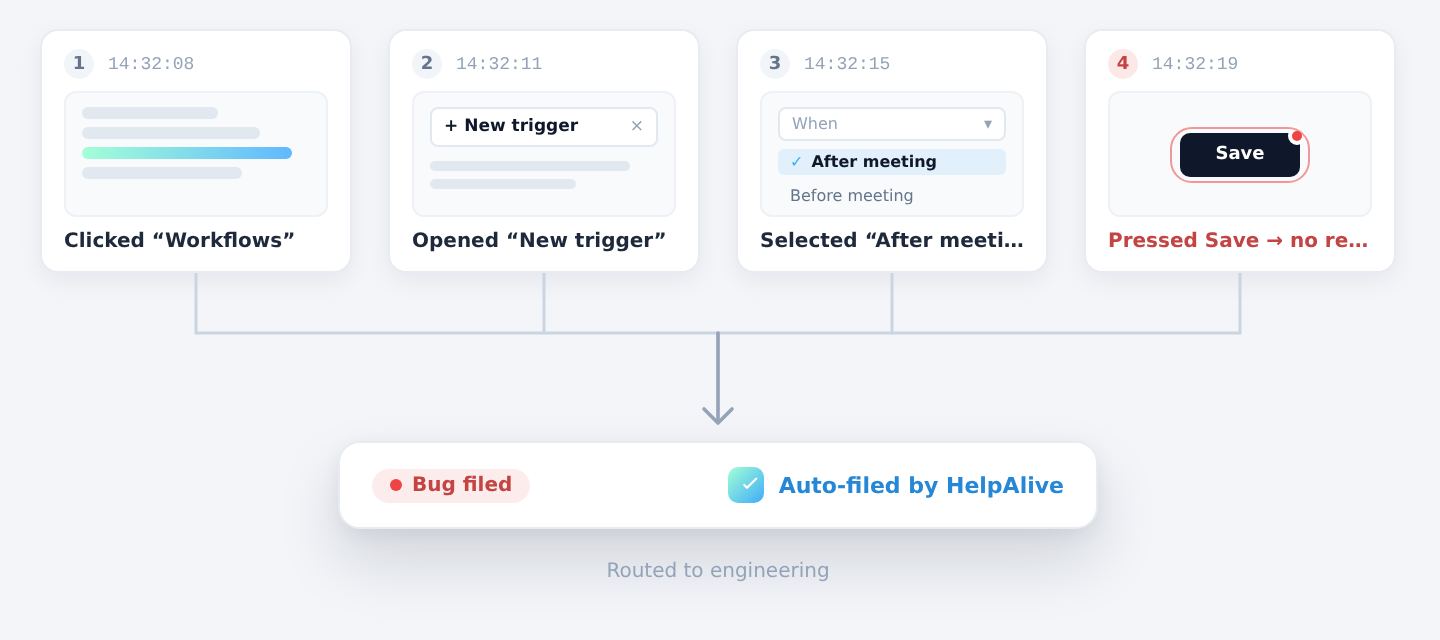
Most “support tickets” are configuration, misuse, or path-not-found. HelpAlive handles those live. The minority that are actual code defects get captured automatically, with the user’s last few actions as the scenario, and routed straight to your dev team.
Auto-generated scenario from recent user actions
Routes to your tracker (in-app today; webhook to Linear, Jira, GitHub, Sentry coming)
No live chat handoff, no human escalation queue
Context-Aware Chat

It already knows. Whether you ask or it notices first.

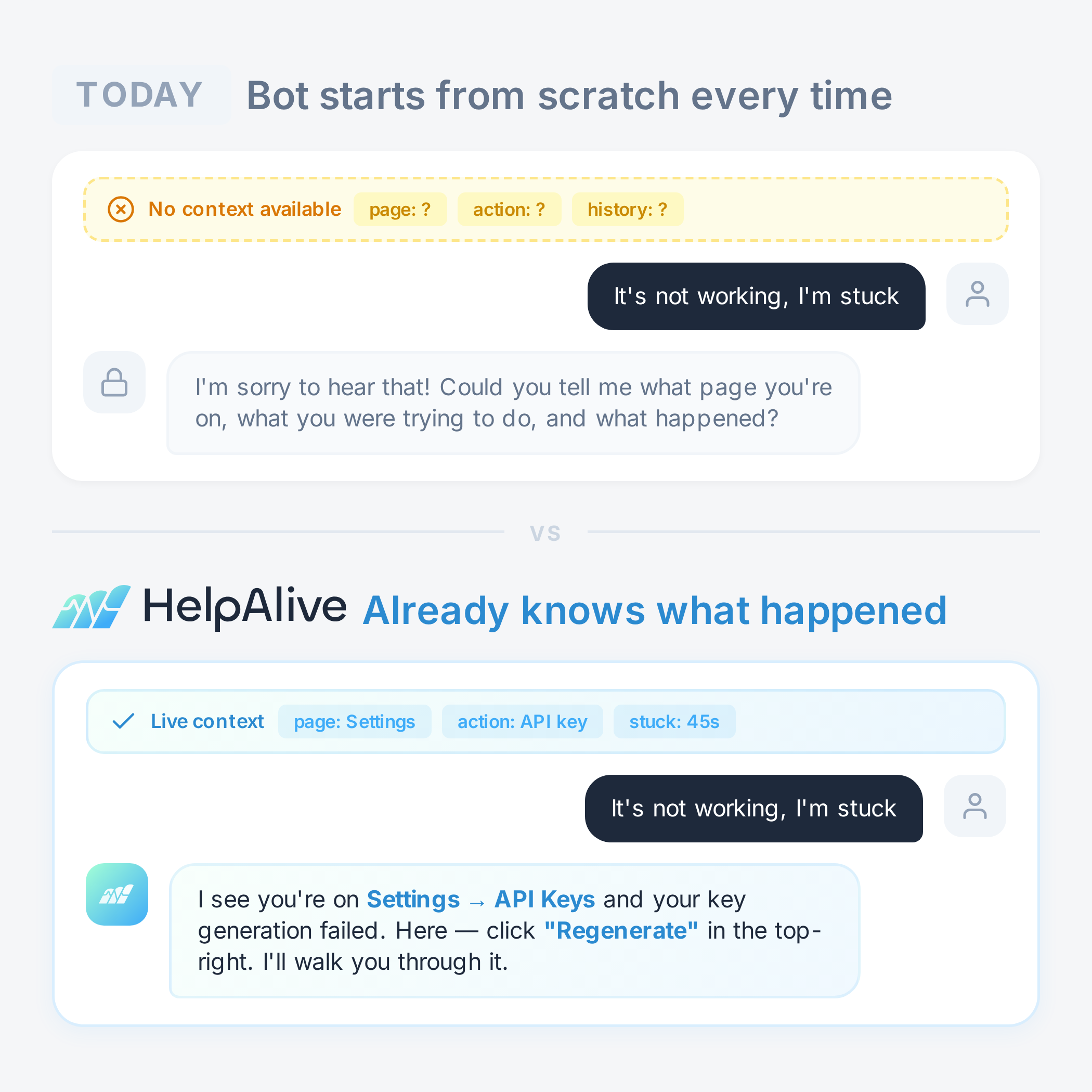
When HelpAlive sees a user struggle, it pops up first, context loaded, ready to help. When the user opens the widget themselves, it’s already there with the same awareness. Powered by crowd intelligence and live page awareness in both modes.
Proactive intervention
HelpAlive pops up first when crowd-intelligence signals struggle with context already loaded and a fix at hand.
Reactive context-on-tap
When the user opens the widget themselves, it’s already there with the same awareness, no “describe your problem” step.
HelpAlive detecting a user skipping a critical feature in real time
HelpAlive chat widget opening with context-aware first message
Guıdes

Walkthroughs that write themselves.

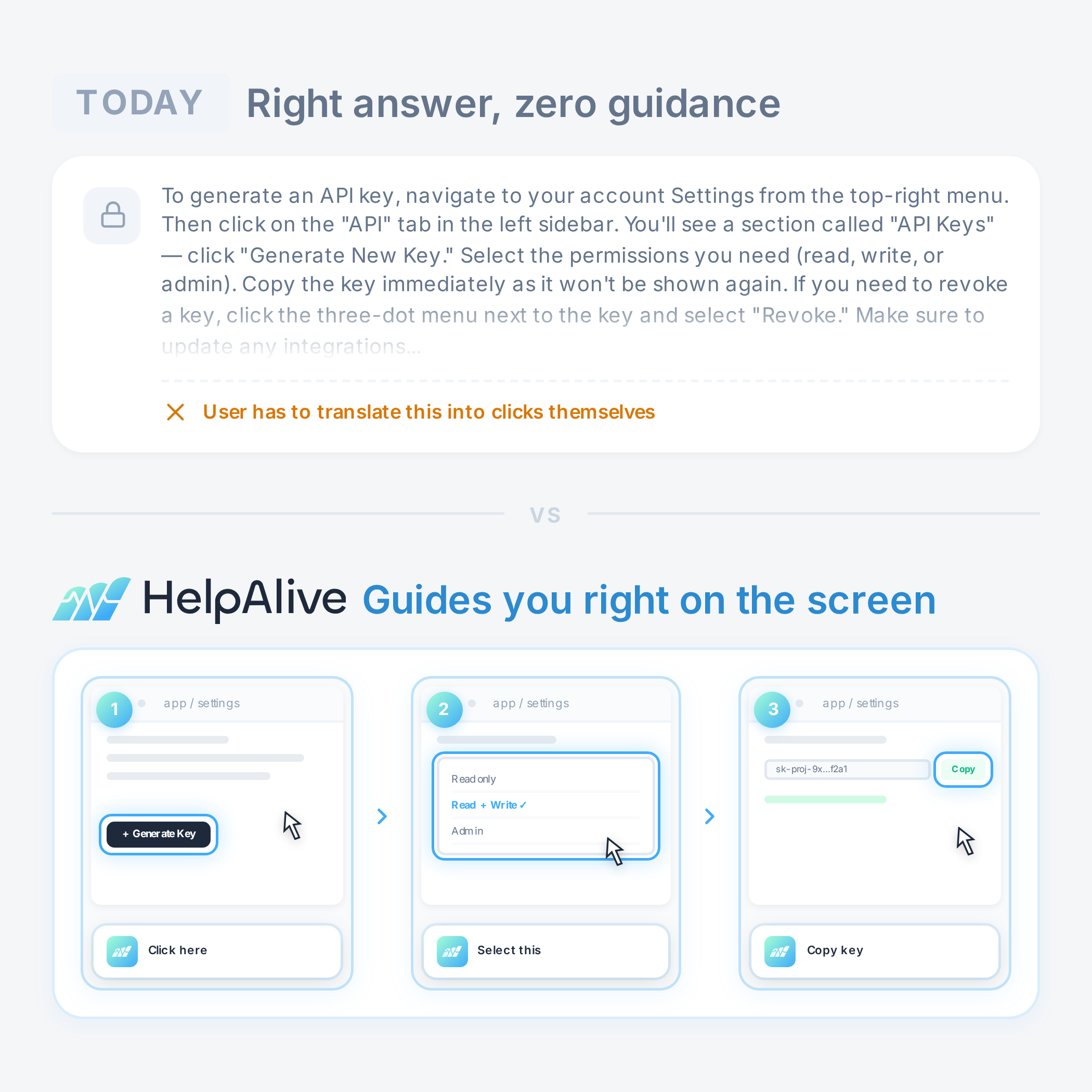
HelpAlive uses your existing documentation and the actions of your power users to automatically create step-by-step, in-product walkthroughs in real time, on demand. No screenshots. No scripts. No flow builder to maintain. And when your user wants to pause and ask about the exact toggle they're on, it answers without losing the thread.
Built when needed
No screenshots, no image tokens just structured page data. Walkthroughs build faster, cost less, and adapt when your UI ships.
Interrupt and ask anything
Pause mid-step to ask about the exact element you’re on. HelpAlive answers with context, then picks up where it left off.
Actions

Doesn’t just explain. Does.

When a user asks HelpAlive to do something, it does it: cancel a plan, change a setting, kick off a workflow. Same widget, same conversation. And every action is gated by your permissions, logged for audit.
Yes
A self-made MCP
No APIs to wire up. The same engine that runs guides drives your UI directly covering anything a user can do, not just API endpoints.
Permissioned and auditable
Every action is gated by your rules and logged for review. Reversible by default your user stays in control.
HelpAlive detecting a user skipping a critical feature in real time
Bug Reports

One tap to report.
Scenario already there.

Most "support tickets" aren't bugs, they're configuration, misuse, or path-not-found, and HelpAlive solves those live. For the rare actual code defect, the user's last few clicks are captured as a clean scenario and sent straight to your dev team. No live chat handoff. No human queue.
Crowd Intelligence
Smart Nudges
AI With Full Context
Interactive Walkthroughs
Drop-Off Prevention
Silent Onboarding
Continuous Learning
Guided Solutions
Install

Drop in one script. You're live.

One Script. One Line.
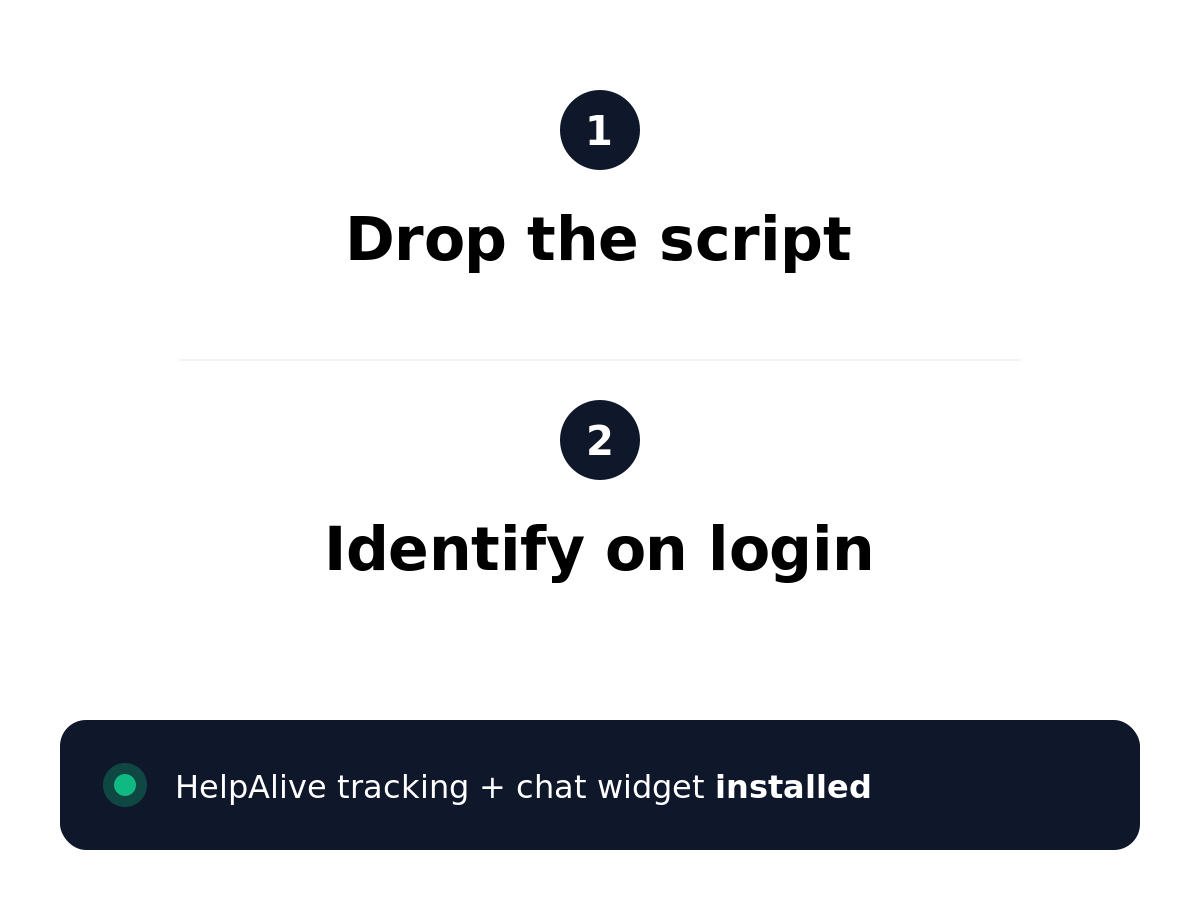
Paste one <script> tag in your site. Add one identify() call on login. That's the entire install, it works with any stack.
Zero PII Ever Leaves the Browser
We run Microsoft Presidio client-side to scrub names, emails, account numbers, and any sensitive info off the screen before it leaves. We see behavior, never user data.
Zero Event Tagging
We infer what users click, type, view, and get stuck on. No tracking code. Ever.
No Backend Changes
No plugins, no SDK rewrites, no infra work. Ship it in an afternoon.
Two-step process for installing HelpAlive: 1. Drop the script anywhere in head, 2. Identify on login with one call, any stack; resulting in tracking and chat widget installed with 2 lines of code, 0 backend changes, 5 minutes to live, infinite stacks supported.
Why HelpAlive

Our platform brings everything 
into one streamlined workspace
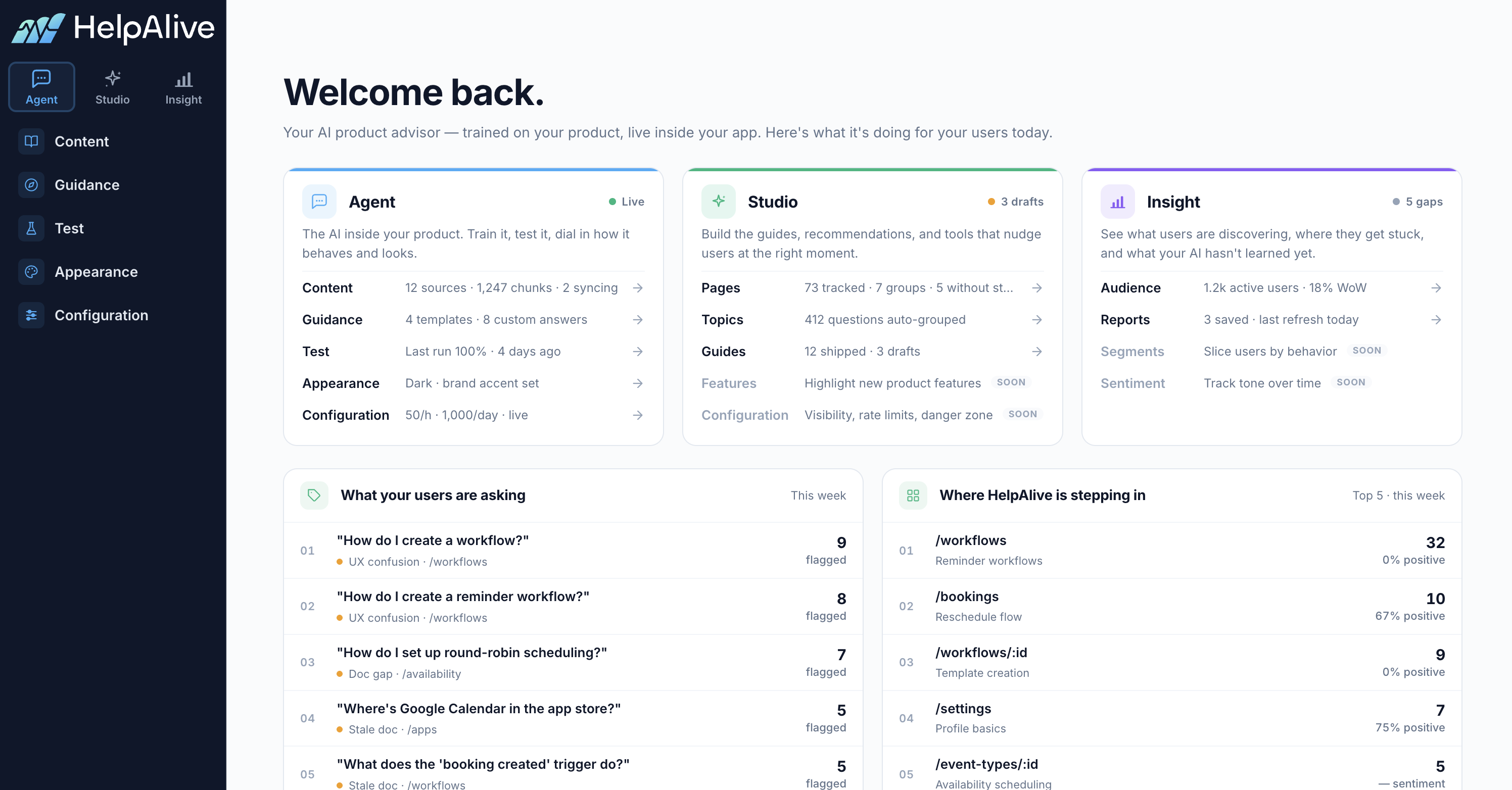
One widget that detects friction, understands context, and guides users so you don't need five tools stitched together to help them.
HelpAlive app homepage with some insights
Less Churn
Users who get help at the right moment don't leave.
Fewer Tickets
Users solve problems before they reach your support team.
Faster Activation
New users find value sooner with timely nudges.
Upsell
Guide customers to higher value features.
FAQ

All You Need to Know

Quick answers to help you get the most out of your unified workspace
Will HelpAlive replace my current support solution?

Not today, but that's where we're heading. HelpAlive works alongside tools like Intercom or Zendesk, catching problems before they become tickets. But the end goal is clear: AI will make human-led support disappear. We believe HelpAlive is one of the strongest offerings on that path, starting with the moments where users get stuck and need help right now, not hours later.

How does HelpAlive know when a user is struggling?

It learns from crowd behavior. When hundreds of users navigate the same feature, HelpAlive builds a picture of what the successful path looks like and spots when someone is going off track. No manual rules, no tagging. It gets smarter with every session.

What kind of data does HelpAlive collect from my users?

We never capture what users type, and every event flows through Microsoft Presidio — the same open-source PII engine trusted by enterprise teams — to automatically detect and redact emails, phone numbers, tokens, credit cards, and other sensitive data. Consent-mode ready for GDPR and CCPA out of the box.

Does it work with single-page apps, legacy products, or just modern stacks?

HelpAlive runs as a lightweight JavaScript snippet, so it works with React, Vue, Angular, server-rendered pages, or anything that runs in a browser. Your tech stack doesn't matter — if your users access it through a web browser, HelpAlive works.

What if my users find the guidance annoying?

HelpAlive only appears when there's a real signal that someone is stuck — it doesn't pop up on a timer or interrupt flows that are going well. There are built-in frequency controls so the same user won't see repeated interventions, and you can configure exactly when, where, and how often guidance appears. Users can also ask for help on their own terms. The goal is a helpful colleague, not a chatbot ambush.

HelpAlive Logo
We are planning to launch soon
Sign up for an early access discount.
Early Access

50% off all licenses for your first year

Sign up below to lock in your early access discount

Get Early Access

Be the first to try HelpAlive. We'll notify you when we launch.

Please enter your name
Please enter a valid email address
Please enter your company name
Please enter your role
How useful would this be for your team?
Please select a rating
What do you currently use for in-product support? Optional

Oops! Something went wrong, please try again.

You're on the list!

Thanks! We'll be in touch soon.